 | InDesign SDK 20.5 |
#include <IAnchoredObjectData.h>
Public Types | |
| enum | { kDefaultIID = IID_IANCHOREDOBJECTDATA } |
| enum | AnchoredPosition { kStandardInline, kAnchoredObject, kAboveLine } |
| enum | AnchoredHorizontal { kRightSide, kCenter, kLeftSide, kTextAlignment } |
| enum | AnchoredVertical { kObjectTop, kObjectCenter, kObjectBottom } |
| enum | VerticalAnchorPointObject { kColumnRelativeV, kFrameRelativeV, kMarginRelativeV, kPageRelativeV, kLineBaseline, kLineXHeight, kLineCapheight, kLineAscent, kLineLeading, kEmBoxTop, kEmBoxMiddle, kEmBoxBottom } |
| enum | HorizontalAnchorPointObject { kColumnRelativeH, kFrameRelativeH, kMarginRelativeH, kPageRelativeH, kAnchorRelativeH } |
| enum | { kCmdSelector_Position = 0x0100, kCmdSelector_AnchorTypeH = 0x0200, kCmdSelector_ObjectH = 0x0400, kCmdSelector_RelativeH = 0x0800, kCmdSelector_AnchorTypeV = 0x01000, kCmdSelector_ObjectV = 0x02000, kCmdSelector_RelativeV = 0x04000, kCmdSelector_XOffset = 0x08000, kCmdSelector_YOffset = 0x010000, kCmdSelector_SpineRelative = 0x020000, kCmdSelector_YOffsetAbove = 0x040000, kCmdSelector_PinPosition = 0x080000, kCmdSelector_LockPosition = 0x0100000 } |
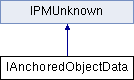
IAnchoredObjectData is the data interface on page items that are anchored at a text location. Originally, pageitems could only be "inline": graphics that flowed in the line of text. Now, the pageitems can be inline, or above the line, or anchored to a line, page or frame specific location. This interface specifies the layout rules to apply and has methods to calculate the position.
| anonymous enum |
used by the ChangeAnchoredObjectCmd's IIntData interface to control which fields to set
horizontal placement
positioning type
vertical placement
what is the object positioned relative to the horizontal axis
what is the object positioned relative to the vertical axis
| pure virtual |
Adjust the ink bounds of the inline graphic if it was re-positioned
| bounds | in the bounding box of the inline graphic. |
| pure virtual |
Adjust the line bounds (selection, caret bounds) of the inline graphic if it was re-positioned
| bounds | in the bounding box of the inline graphic. |
| pure virtual |
For composition – returns data about the inline graphic for composition.
| lineHeight | is the height of the line containing the inline. |
| inlineWidth | is used to report back the width of the inline for composition. This width will include the effect of text wrap. |
| height | is used to report the height of the inline above the baseline. |
| leftStrokeOffset | is used to report the offset measured from the left side of the of the inlineWidth to the left side of the inline. The inline always adjusts itself so that its left bottom stroke corner is at 0.0. This will be the pen position for drawing the inline and may be negative. |
| pure virtual |
Adobe internal use only.
| pure virtual |
Copy these values TO the passed in interface.
| pCopyTo | is filled out with the current interface's values. |
| pure virtual |
Force the position to be recalculated.
| pure virtual |
Get which horizontal point OF THE REFERENCE to align to (AnchorTypeHorizontal).
| pure virtual |
Get which vertical point OF THE REFERENCE to align to (AnchorTypeVertical).
| pure virtual |
Get which location the horizontal position is based upon.
| pure virtual |
Get which location the vertical position is based upon.
| pure virtual |
Get whether the anchored object's position should be locked. This is a shortcut to applying the "Lock Object" functionality and is identical.
| pure virtual |
Get which horizontal point OF THE OBJECT to align to.
| pure virtual |
Get which vertical point OF THE OBJECT to align to.
| pure virtual |
Get the y-offset and x-offset of the anchored object from the point specified
| pure virtual |
Get whether the anchored object's position should be pinned within the text column boundaries.
| pure virtual |
Get the positioning type of the anchored object.
| pure virtual |
Get spine relative positioning.
| pure virtual |
Get the amount of space to add above the anchored item. Y Offset Above is only used by "above line" positioning
| pure virtual |
Have the positioning rules changed since the graphic was last positioned?
| pure virtual |
The register inline method will be called after composition to adjust the matrix from text parcel to inline graphic.
| waxLine | is the line that this object is anchor within. |
| pParcel | is the IParcel that the inline is relative to. |
| waxToILGMatrix | is the mapping from parcel to inline graphic. |
| pure virtual |
Set which horizontal point OF THE REFERENCE to align to (AnchorTypeHorizontal).
| align | specifies which horizontal point to use. |
| pure virtual |
Set which vertical point OF THE REFERENCE to align to (AnchorTypeVertical).
| align | specifies which vertical point to use. |
| pure virtual |
Set which location the horizontal position is based upon.
| location | specifies which point the object's horizontal position is relative to. |
| pure virtual |
Set which location the vertical position is based upon.
| location | specifies which point the object's vertical position is relative to. |
| pure virtual |
Set whether the anchored object's position should be locked. This is a shortcut to applying the "Lock Object" functionality and is identical.
| lockPos | specifies whether to set locking for the anchored object. |
| pure virtual |
Set which horizontal point OF THE OBJECT to align to.
| align | specifies which horizontal point to use. |
| pure virtual |
Set which vertical point OF THE OBJECT to align to.
| align | specifies which vertical point to use. |
| pure virtual |
Set whether the anchored object's position should be pinned within the text column boundaries.
| pinPos | specifies whether to pin the anchored object. |
| pure virtual |
Set the positioning type of the anchored object.
| position | is the positioning type to apply. |
| pure virtual |
Set whether the anchored object's positioning is relative to the spine.
| spineRelative | true or false. |
| pure virtual |
Set the x-offset of the anchored object from the point specified Due to the way spine-relative positioning can dynamically change the anchored object's position, positive x-offsets move the graphic AWAY from the anchor location, negative closer.
| xoffset | is the offset value in points. |
| pure virtual |
Set the y-offset of the anchored object from the point specified
| yoffset | is the offset value in points. |
| pure virtual |
Set the amount of space to add above the anchored item. Y Offset Above is only used by "above line" positioning
| yoffset | specifies extra space in points. |
| pure virtual |
This is a calculated value, based on the object's position & specified rules.
 1.8.3.1

 Public Member Functions inherited from