 | InDesign SDK 20.5 |
#include <IAppPrefsImportDelegate.h>
Public Types | |
| enum | { kDefaultIID = IID_IAPPPREFSIMPORTDELEGATE } |
| enum | AttributeAction { kApplyAttributes, kDontApplyAttributes, kApplyNewAttributes } |
Public Member Functions | |
| virtual bool16 | ShouldCreateNewElement (bool16 defaultBehavior, IAppPrefsImportOptions::ListImportMatchAction importAction, IDOMElement *parent, IDOMElement *childToUse, const WideString &elementName, const IDOMElement::AttributeList &attributes)=0 |
| virtual AttributeAction | ModifyAttributes (IDOMElement *elementFragment, AttributeAction defaultAttributeAction, const IDOMElement::AttributeList &attributes, IDOMElement::AttributeList &newAttributes) |
| virtual ScriptID | CompareElementsUsingProperty (ScriptID elementScriptID) |
| virtual bool16 | ShouldDeleteElement (IDOMElement *domElement, bool16 defaultShouldDeleteValue) const =0 |
 Public Member Functions inherited from IPMUnknown Public Member Functions inherited from IPMUnknown | |
| virtual IPMUnknown * | QueryInterface (PMIID interfaceID) const =0 |
| virtual void | AddRef () const =0 |
| virtual void | Release () const =0 |
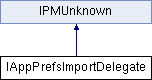
This is an interface for customizing the Import of Application Preferences The methods in this interfaces are callbacks from the import process that allows the client to have a say in the import
| virtual |
When looking for existing items that match the item imported, we use specific properties to handle the match. For most list items, the property used to "match" items is the name property. This callback will be called when looking for a match of an incoming element. The most common usage of this callback is to return 'p_Name' when a 3rd party list item is the elementScriptID. If you add a list element, it won't automatically use the name as a way to match items, you must use this callback to specify the property element you'd like to use as the matching property.
| elementScriptID | the ScriptID of the element we are looking to match |
| virtual |
When an object is imported, the attributes on the imported XML element are used to set the properties of the item This callback allows the delegate to change the XML attributes before they are applied to the newly created object or to the matching object. Changing the attribute list should be done very carefully as it can easily lead to problematic scenarios.
| elementFragment | the IDOMElement* of the item to which the attributes will be applied |
| defaultAttributeAction | this is the default behavior. If you want default behavior, return this parameter |
| attributes | these are the attributes that were imported from the XML |
| newAttributes | this is a list of new attributes, if AttributeAction returned is kApplyNewAttributes, the attributes in this list will be applied instead of the original attributes |
| pure virtual |
This method is called for each root object(direct child of application) read in during the import process to gove the delegate a chance to decide if the match found should be used or if a new element should be created. Returning kTrue does not always work, some objects, like regular preferences, cannot be created
| defaultBehavior | to get default behavior, return this value |
| importAction | the current preference for reusing the existing element or replacing the element |
| parent | the IDOMElement* of the parent element of the matching element |
| childToUse | the IDOMElement* of the matching item |
| elementName | the XML element name of the element that represents the object |
| attributes | the XML attributes associated with elementName |
| pure virtual |
When we've imported all the objects, we go thru the list of all children of the application object and call this callback to determine if the item should be deleted. The default behavior is passed in defaultShouldDeleteValue and you can return that to get default behavior. This will use the DOM delete which may not work for all element types, so another use is to check defaultShouldDeleteValue and delete an element yourself, then return kFalse. Also, note that not all element types can be deleted, so returning kTrue for some element types may cause errors.
| domElement | the element in question. Should this element be deleted or not? |
| defaultShouldDeleteValue | default behavior. This is what would normally happen if there was no delegate |
 1.8.3.1
