 | InDesign SDK 20.5 |
#include <IImageFormatAccess.h>
Public Types | |
| enum | { kDefaultIID = IID_IIMAGEFORMATACCESS } |
Public Member Functions | |
| virtual void | SetFormatClassID (ClassID classID)=0 |
| virtual ClassID | GetFormatClassID () const =0 |
| virtual void | SetWhichImage (uint32 whichImage)=0 |
| virtual uint32 | GetWhichImage () const =0 |
 Public Member Functions inherited from IPMUnknown Public Member Functions inherited from IPMUnknown | |
| virtual IPMUnknown * | QueryInterface (PMIID interfaceID) const =0 |
| virtual void | AddRef () const =0 |
| virtual void | Release () const =0 |
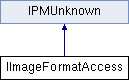
Interface living off of an image boss which stores the format of the reader needed to read the image data.
| anonymous enum |
default IID for this interface
| pure virtual |
| pure virtual |
OBSOLETE: See comments for SetWhichImage()
| pure virtual |
We store the class ID of the image format plug-in that can read the image data. In this way we can avoid finding the correct image format plug-in every time we render and/or export the image.
| classID | - IN: ClassID of the read filter's plug-in. Examples, kPSImageReadFormatBoss, kJPEGImageReadFormatBoss, kTIFFImageReadFormatBoss |
| pure virtual |
OBSOLETE This tells us which image in the file we are. TIFF, for instance, allows for more than one image per file: a low res and a high res version in our case. whichImage takes on either kPMHighResImage or kPMLowResImage (defined in ImageTypes.h) OBSOLETE: Some formats, such as TIFF, may have several images per file. Hence, two constants are not enough to distinguish which image is in use. Instead, the image resolution can be used as an identifier. Each InDesign Class (boss) containing an IImageFormatAccess interface should also have an IImageAttributes interface which contain resolution tags.
 1.8.3.1
