 | InDesign SDK 20.5 |
#include <ITableGeometry.h>
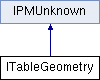
Public Types | |
| enum | { kDefaultIID = IID_ITABLEGEOMETRY } |
Public Member Functions | |
| virtual PMReal | GetRowHeights (int32 startRow, int32 howMany=1) const =0 |
| virtual PMReal | GetMaxRowHeights (int32 startRow, int32 howMany=1) const =0 |
| virtual PMReal | GetColWidths (int32 startCol, int32 howMany=1) const =0 |
| virtual PMRect | GetCellBounds (const GridAddress &anchor) const =0 |
| virtual PMRect | GetCellBoundsRelativeTo (const GridAddress &anchor, const GridAddress &relativeToElement) const =0 |
| virtual PMRect | GetElementBounds (const GridAddress &element) const =0 |
| virtual PMRect | GetElementBoundsRelativeTo (const GridAddress &element, const GridAddress &relativeToElement) const =0 |
 Public Member Functions inherited from IPMUnknown Public Member Functions inherited from IPMUnknown | |
| virtual IPMUnknown * | QueryInterface (PMIID interfaceID) const =0 |
| virtual void | AddRef () const =0 |
| virtual void | Release () const =0 |
Provides read access to the geometry of the table. Each row and column in the grid has a notion of minimum height and width.
There are two different co-ordinate systems in which the geometry can be represented in methods of this interface. The first is the table's intrinsic co-ordinate system, the origin of which is at the top-left vertex of the table, with x increasing rightwards and y increasing downwards. In this co-ordinate system, the location of the top-left cell with anchor at GridAddress(0,0) would be (0 pts, 0 pts).
Location of cells or elements can also be expressed in a local co-ordinate system, where the origin is translated to a location of a particular element within the grid. For instance, if the top-left of the cell at GridAddress(1,1) is at (140 pts, 20 pts) in the table co-ordinate system, then the co-ordinates of the element at GridAddress(0,0) expressed relative to GridAddress(1,1) would be (-140 pts, -20 pts).
Note that some of the methods are specific to cells, and some to elements. Refer to the documentation on GridAddress for more detail on the distinction.
Briefly, elements have unit GridSpan(1,1), and are located in the underlying grid associated with a table.
Cells always have an associated anchor position (their top-left, indicating in which row and column they are 'anchored') but can have a GridSpan that is greater than unit (1,1). Elements therefore don't necessarily have an anchor but cells always do.
| pure virtual |
Determine cell bounds in the table's own co-ordinate system. The origin of this co-ordinate system is at the top-left vertex of the table, with x increasing rightwards and y increasing downwards. Geometry expressed in these co-ordinates uses points as the unit.
For example, the top-left cell (anchor at GridAddress(0,0)) will have a location at (0 pts, 0 pts) in this co-ordinate system.
The returned dimension and location are expressed in points.
| anchor | location of top-left of cell of interest |
| pure virtual |
Determine bounds of specified cell relative to an element at given location.
Calculates the dimension of the cell and its location in a co-ordinate frame with origin at the location specified by the relativeToElement parameter
| anchor | location of top-left of cell of interest |
| relativeToElement | becomes origin of co-ordinate system in which returned location is represented |
| pure virtual |
Returns the sum of the individual widths of the columns specified. Column width is represented by an attribute of class kColAttrWidthBoss.
| startCol | begin the summation from this column in the table |
| howMany | include this many columns in the calculation |
| pure virtual |
Determine table-element bounds in the table's own co-ordinate system.
See the documentation for GetCellBounds() for detail about this co-ordinate system.
| element | location of grid-element of interest |
| pure virtual |
Determine bounds of specified element relative to another element.
Calculates the dimension of table element and its location in a co-ordinate frame with origin at the location specified by the relativeToElement parameter.
| element | location of grid-element of interest |
| relativeToElement | becomes origin of co-ordinate system in which returned location is represented |
| pure virtual |
Returns the sum of the maximum height of the set of rows specified.
For instance, if there are 4 rows, which have a maximum row size specified of 50 picas (600 pts), then this method will return a value of 4 x 600 or 2400 pts.
An attribute of class kRowAttrMaxRowSizeBoss represents the maximum row size that can be attained.
| startRow | begin the summation from this row in the table |
| howMany | include this many rows in the calculation |
| pure virtual |
Returns the sum of height of rows specified. If there is only one row specified, then the height of this row will be returned.
Row height is represented by an attribute of class kRowAttrHeightBoss.
| startRow | begin the summation from this row in the table |
| howMany | include this many rows in the calculation |
 1.8.3.1
