 | InDesign SDK 20.5 |
#include <ITransformUpdateUtils.h>
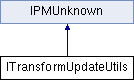
Public Types | |
| enum | { kDefaultIID = IID_ITRANSFORMUPDATEUTILS } |
Public Member Functions | |
| virtual int32 | GetPageForPoint (ISpread *spread, PBPMPoint pt) const =0 |
| virtual PBPMPoint | PasteboardZeroPoint (ISpread *spread, int32 pageIndex) const =0 |
| PBPMPoint | PasteboardZeroPoint (ISpread *spread, PBPMPoint pageLocator) const |
| virtual void | NormalizeAngle (PMReal &angle)=0 |
| virtual void | NormalizeAngle180 (PMReal &angle)=0 |
 Public Member Functions inherited from IPMUnknown Public Member Functions inherited from IPMUnknown | |
| virtual IPMUnknown * | QueryInterface (PMIID interfaceID) const =0 |
| virtual void | AddRef () const =0 |
| virtual void | Release () const =0 |
Utilities related to user-displayed transform values. e.g. ruler zero point adjustment and angle normalization.
| pure virtual |
GetPageForPoint finds the page on 'spread' associated with the point 'pt'. (Note that 'pt' is provided in pasteboard coordinates–not spread coordinates.)
For documents with facing pages, 'pt' is associated with a page if it falls within the spread-vertical stripe containing the page. (Note that on spreads from documents with facing pages these stripes are disjoint and juxtaposed.) For left-to-right bound documents, if 'pt' falls to the left of spread's first page, index 0 is returned, and if 'pt' falls to the right of the spread's last page, the spread's page count is returned. For right-to-left bound documents, if 'pt' falls to the right of spread's first page, index -1 is returned, and if 'pt' falls to the left of the spread's last page, the index of the spread's last page is returned. (This somewhat strange behavior is historical and maintained for compatiblity reasons.) The spread-vertical stripes containing the pages are considered closed on the left and open on the right (regardless of binding direction–again for historical reasons).
For documents without facing pages, 'pt' is associated with a page if it falls on or within the page's boundary. If 'pt' falls within more than one page, 'pt' is associated with the page it is deepest within. That is, the page whose nearest border is the furthest from 'pt'. If 'pt' doesn't fall within any page, it is associated with the page whose border is closest to 'pt'. All ties favor the page with the smallest page index. If the spread has no pages, then 0 is returned. Otherwise, the return value is always at least 0 and always less than the spread's pagecount.
| spread | - the spread whose pages are examined |
| pt | - the point (in pasteboard coordinates) used to choose a page |
| pure virtual |
NormalizeAngle adds an integer multiple of 360.0 to get a value in the range [0., 360.).
| angle | - the value modified. |
| pure virtual |
NormalizeAngle180 adds an integer multiple of 360.0 to get a value in the range (-180., 180.].
| angle | - the value modified. |
| pure virtual |
PasteboardZeroPoint returns the location of the ruler's zero point in pasteboard coordinates for 'spread'. If the spread's document workspace is set to use per-page rulers, 'pageIndex' is consulted. Otherwise, this parameter is ignored. Note that the zero point is calculated by applying the offset from the IZeroPointPrefs of the document workspace to one of the corners described below in spread coordinates, and then that point is transformed into pasteboard coordinates before returning. Hence a horizontal offset from IZeroPointPrefs, when applied to a spread rotated 90 degrees, would move the zero point vertically.
When the IRulerCoordinatePrefs of the document workspace is set to kRulerPerSpread, the offset is applied to the top left corner of the spread-aligned bounding box tight against all pages of the spread. This is the rect you get by calling: spread->GetPagesBounds( Transform::SpreadCoordinates())
When the IRulerCoordinatePrefs of the document workspace is set to kRulerPerPage, pageIndex is used to choose a page. If the index is in [0, pagecount-1], then the offset is applied to the top-left corner of that page's spread-aligned bounding box. (Note since pages can be transformed via scripting, this corner is not necessarily the same spot as the top-left corner of the page in the page's inner coordinates.) When index falls outside of the legal page indices, then either the top-left or top-right corner of the rectangle enclosing all the pages is used.
When the IRulerCoordinatePrefs of the document workspace is set to kRulerOnBinding, the offset stored in IZeroPointPrefs is ignored. Instead, the zero point is the top-left corner of the page on the right side of the binding line unless there are no pages to the right of the binding line. In which case, the top-right corner of the page on the left of the binding line is used.
| spread | - the spread in question |
| pageIndex | - the page to use in case kRulerPerPage is in force |
| inline |
PasteboardZeroPoint is the inline composition of the two functions above.
| spread | - the spread in question |
| pageLocator | - the point (in pasteboard coordinates) used to choose a page |
 1.8.3.1
