 | InDesign SDK 20.5 |
#include <IXMLConvertElementToInlineCmdData.h>
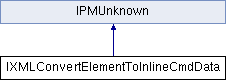
Public Types | |
| enum | { kDefaultIID = IID_IXMLCONVERTELEMENTTOINLINECMDDATA } |
Public Member Functions | |
| virtual void | Set (const XMLReference &xmlRef, const PMPoint &dimensions)=0 |
| virtual void | Set (const XMLReference &xmlRef, UID frameToCopy, bool16 retainExistingFrame)=0 |
| virtual XMLReference | GetXMLReference () const =0 |
| virtual const PMPoint & | GetDimensions () const =0 |
| virtual UID | GetFrameToCopy () const =0 |
| virtual bool16 | GetRetainExistingFrame () const =0 |
 Public Member Functions inherited from IPMUnknown Public Member Functions inherited from IPMUnknown | |
| virtual IPMUnknown * | QueryInterface (PMIID interfaceID) const =0 |
| virtual void | AddRef () const =0 |
| virtual void | Release () const =0 |
Data interface Convert Element to Inline Cmd
| pure virtual |
| pure virtual |
| pure virtual |
| pure virtual |
| pure virtual |
Use this to create a rectangular inline with the specified dimensions
| xmlRef | the element to convert to an inline. |
| thePoint | dimensions of the new inline |
| pure virtual |
Use this to create a copy of the specified item as your inline. Dimensions will be the same as the copied element
| xmlRef | the element to convert to an inline. |
| frameToCopy | UID of the frame you'd like to copy |
| frameToCopy | UID of the frame you'd like to copy |
| retainExistingFrame | if true and the element is already an inline, the existing frame will be used. if false, existing frame will be deleted and copied frame used |
 1.8.3.1
