 | InDesign SDK 20.5 |
#include <IPaletteWorkspace.h>
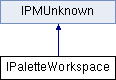
Classes | |
| struct | DynamicPanelCreationData |
Public Types | |
| enum | { kDefaultIID = IID_IPALETTEWORKSPACE } |
Public Member Functions | |
Load/Save by specifying file | |
| virtual void | SaveWorkspace (IDFile workspaceName, bool16 includePalettes, bool16 includeMenus) const =0 |
| virtual bool16 | LoadWorkspace (IDFile workspaceFile) const =0 |
ActiveWorkspace | |
| virtual void | SaveActiveWorkspace () const =0 |
| virtual bool16 | LoadActiveWorkspace () const =0 |
| virtual PMString | GetActiveWorkspaceName () const =0 |
| virtual void | SetActiveWorkspaceName (const PMString &name) const =0 |
LoadStartupWorkspace | |
| virtual bool16 | LoadStartupWorkspace (bool16 resetMenus=kTrue) const =0 |
LoadingWorkspace | |
| virtual bool16 | LoadingWorkspace () const =0 |
DynamicPanelCreationData | |
| virtual PMString | MakeCurrentVersionName (const PMString &originalVersionName) const =0 |
| virtual PMString | MakeOriginalVersionName (const PMString ¤tVersionName) const =0 |
| virtual void | Initialize () const =0 |
| virtual bool16 | RenameEssentialsWorkspacePrefs () const =0 |
| virtual bool16 | IsNewEssentialsWorkspaceShown () const =0 |
 Public Member Functions inherited from IPMUnknown Public Member Functions inherited from IPMUnknown | |
| virtual IPMUnknown * | QueryInterface (PMIID interfaceID) const =0 |
| virtual void | AddRef () const =0 |
| virtual void | Release () const =0 |
Manage workspaces in standard locations | |
| enum | WorkspaceArea { kUserWorkspace, kDefaultWorkspace } |
| enum | ValidationCode { kNameValid, kNameInvalid, kNameDuplicate } |
| enum | WorkspaceVersion { kCurrentVersion, kOriginalVersion } |
| virtual int32 | GetWorkspaceCount (WorkspaceArea area=kUserWorkspace) const =0 |
| virtual PMString | GetNthWorkspaceName (int32 n, WorkspaceArea area=kUserWorkspace) const =0 |
| virtual ValidationCode | ValidateWorkspaceName (const PMString &name, PMString *errorString) const =0 |
| virtual void | SaveWorkspace (const PMString &name, bool16 includePalettes, bool16 includeMenus, WorkspaceVersion=kOriginalVersion) const =0 |
| virtual bool16 | LoadWorkspace (const PMString &name, WorkspaceArea area=kUserWorkspace, WorkspaceVersion=kCurrentVersion) const =0 |
| virtual bool16 | DeleteWorkspace (const PMString &name, WorkspaceVersion version=kOriginalVersion) const =0 |
Interface for managing Palette Workspaces. Workspaces are saved as XML files in the "Workspaces" subfolder of the preferences folder. As of CS4, the model for workspaces has changed somewhat. Instead of "bookmarks in a book," workspaces are more like rooms in a house. If you rearrange the furniture in your living room, leave and go into your kitchen, and then return to the living room, you would expect the furniture to still be in its new position.
Under the hood, two versions of each workspace file are managed, and the application automatically saves the most recent arrange of palettes and panels as this "current" version. By default, whenever a user loads or switches to a workspace, by default the application loads the "current" version of it. There is a notion of an "active" workspace, which is saved as the name of the most recently loaded workspace. The "current" version of this one is the one that gets loaded at start up. The user can "reset" a workspace, in which case the application deletes the "current" version and reloads the "original".
Checks the name passed in to determine if it is a valid name or duplicate name.
| name | is passed in as the potential workspace name |
| errorString | if method returns kNameInvalid, this string will contain the error msg |
| pure virtual |
Delete a user workspace
| name | The name of the workspace you'd like to delete. Should be the base name of the workspace. |
| version | determines whether to delete the "original" version of a workspace, or just the "current" version. When deleting original, any current version that exists is also deleted. Should be the base name of the workspace. |
| pure virtual |
Return the name of the current workspace. This is the last workspace the user chose and is stored in IID_IACTIVEWORKSPACENAMEPREF interface on kWorkspaceBoss
| pure virtual |
Gets the name of the nth workspace in the specified area. n is the index.
| index | of the workspace whose name you want |
| area | determines whether you want user workspaces or default (application supplied) workspaces |
| pure virtual |
Gets the number of workspaces in the specified area(user workspace or default workspace) Do not call this repeatedly! Calling GetWorkspaceCount() will gather and cache the workspaces for subsequent calls to GetNthWorkspaceName()
| type | determines whether you want user workspaces or default (application supplied) workspaces |
| pure virtual |
INTERNAL USE ONLY. Called at startup to initialize the workspace manager.
| pure virtual |
On startup, without SavedData, this is called to arrange the palettes to their most recent configuration Should only be called by PaletteMgr
| pure virtual |
Call this to determine whether or not we are in the process of loading a workspace
| pure virtual |
We have a specific default workspace that we load the first time we startup Calling this will load that workspace.
| resetMenus | if true, menus will be reset also as if choosing menu Window > Workspace > Reset Menus. If false, menus will not be affected |
| pure virtual |
Load a workspace from the specified area. This becomes the new name of the "active" workspace.
| name | The name of the workspace you'd like to load. Should be the base name of the workspace. |
| area | determines whether you want user workspaces or default (application supplied) workspaces |
| version | determines whether you want to load the "current" version of a workspace if present, or to reset to the "original" version. The original version is the one either in kDefaultWorkspace area that shipped with the application, or one that the user created via the "New Workspace" dialog in the kUserWorkspace. If an "current" version isn't present, the "original" will be loaded instead. |
| pure virtual |
Load palette configuration from the specified file and set the palettes accordingly. To load a standard configuration workspace, use the above methods for convenience
| workspaceFile | specified a fileSpec that is a Palette Workspace XML file to read in |
| pure virtual |
INTERNAL USE ONLY. Return the "current" name of the workspace, w/ the "_CurrentWorkspace" suffix.
| pure virtual |
INTERNAL USE ONLY. Return the base name of the workspace, w/o the "_CurrentWorkspace" suffix.
| pure virtual |
INTERNAL USE ONLY. Used to rename the preferences of Essentials Workspace to Essentials Classic
| pure virtual |
Called on Shutdown to save the current workspace Should only be called by PaletteMgr
| pure virtual |
Saves the current palette configuration as a user workspace with the specified name. Optionally includes palette positions and/or custom menu information. At least one of these two parameters must be true (or else workspace would be empty!). Typically a call to SaveWorkspace with is preceded by a called to SaveActiveWorkspace to update the current version of the previous workspace. Typically also followed by a call to SetActiveWorkspaceName if you want the newly saved workspace to be the active one.
| name | of the workspace you are saving |
| includePalettes | whether or not the workspace will include palette positions |
| includeMenus | whether or not the workspace will include custom menu information |
| version | determines whether you want to save the "current" version of a workspace, or to save an "original" version. |
| pure virtual |
Saves current palette configuration to the specified file. For Workspaces to show up in the UI, they must be saved to the appropriate location. Use the above methods for convenience
| workspaceFile | specified a fileSpec that the workspace will be written to. |
| includePalettes | whether or not the workspace will include palette positions |
| includeMenus | whether or not the workspace will include custom menu information |
| pure virtual |
Sets the name of the current workspace. Called automatically whenever a workspace is loaded, so usually not necessary for external callers to use this method. Stores name of workspace in IID_IACTIVEWORKSPACENAMEPREF interface on kWorkspaceBoss
 1.8.3.1
