#include <ISaveFileDialog.h>
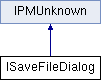
ISaveFileDialog is used to allow the user to specify where to save a file.
Typically you need to do the following steps:
- Create a object of kSaveFileDialogBoss.
- Call SetFileTypeInfo() to set the file type and extension of the file you are going to save.
- (Optional) Use other methods to change default settings.
- Call DoDialog() to display the dialog. To add a custom control, create a new boss and implement this interface. The implementation should inherit (W/M)SaveFilaDialogBase. See more comments in their headers.
| virtual void ISaveFileDialog::AddFileTypeInfo | ( | const PMString & | description, | | | const PMString & | extension | | ) | | |
| pure virtual |
Add another creator, type, extension tuple to popup.
- Parameters
| description[in]- | text description of the file type to be displayed in the types popup menu. |
| extension[in]- | file extension |
| virtual bool16 ISaveFileDialog::DoDialog | ( | const IDFile * | defaultFile, | | | IDFile * | resultFile, | | | int32 * | selectedIndex = nil, | | | bool16 | useSystemDefaultDir = kFalse, | | | bool16 | showTypeMenu = kTrue, | | | const PMString * | title = nil, | | | const bool16 & | isSaveACopy = kFalse | | ) | | |
| pure virtual |
Displays the save file dialog.
- Parameters
| defaultFile[in]- | specifies the default file to use when saving. It should NOT be nil. On Windows, defaultFile can be a file name with full path, a file name without path, or a path name without a file name. When a path is given, it is used as the default directory. Otherwise the last used directory for save is used as the default one. On Mac, defaultFile always contains a path. To ignore the directory in defaultFile and use the system default directory (the last used save directory), set useSystemDefaultDir to be kTrue; |
| resultFile[out]- | the file to save to |
| selectedIndex[inout]- | optional parameter. may be nil. If not nil, it's used to select the default index in the list, and returns the index selected by the user |
| useSystemDefaultDir[in]- | pass kTrue to ignore the directory in defaultFile and use the system default directory (the last used save directory) |
| showTypeMenu[in]- | passing kFalse will hide the Type menu in the dialog. |
| title[in]- | the title for the window. The default title is "Save As". |
| isSaveACopy[in] | INTERNAL USE ONLY - to specify if the save call is "save a copy" or not. |
- Returns
- false if user canceled, true otherwise.

 Public Member Functions inherited from IPMUnknown
 1.8.3.1
