 | InDesign SDK 20.5 |
#include <ICommandSequence.h>
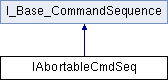
Additional Inherited Members | |
 Public Member Functions inherited from I_Base_CommandSequence Public Member Functions inherited from I_Base_CommandSequence | |
| virtual ICommand::Undoability | GetUndoability () const =0 |
| virtual void | SetUndoability (ICommand::Undoability newUndoability)=0 |
| virtual void | GetName (PMString *name) const =0 |
| virtual void | SetName (const PMString &newName)=0 |
| virtual void | AddReference ()=0 |
| virtual void | ReleaseReference ()=0 |
| virtual const char * | GetTrackingData ()=0 |
An abortable command sequence groups any number of commands to a single undoable step in the command history. The sequence can be aborted by client code and can have sequence marks that allow the client code to roll back to designated points when failure occurs. This allows client code to implement sophisticated error handling and retry strategies within a sequence. Abortable command sequences should only be used where absolutely necessary since they incur a heavy performance overhead. For example, when refreshing links you might find that a linked file is missing and allow the user to browse for the missing link and then proceed. This kind of error handling needs and abortable command sequence.
Regular command sequences (ICommandSequence) cannot do this kind of error handling. Their changes are committed or rolled back dependent on the global error code status when the sequence ends.
Call CmdUtils::BeginAbortableCmdSeq() to create a new abortable sequence. After you are done with processing commands call CmdUtils::EndAbortableCmdSeq(IAbortableCmdSeq *) to end your sequence on success, or CmdUtils::AbortCommandSequence(IAbortableCmdSeq *) to abort the sequence. Do not use the sequence again afterwards.
 1.8.3.1
