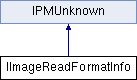
#include <IImageReadFormatInfo.h>
Interface that provides additional data about the capabilities of an IImageReadFormat implementation and that defines a mechanism for passing preference information to an IImageReadFormat.
- See Also
- IImageReadFormat
| virtual bool16 IImageReadFormatInfo::CanReadExtension | ( | const PMString & | extension | ) | |
| pure virtual |
Returns kTrue if the filter can read files with the specified extension. Allows a user to call in with a specific extension instead of caching the results of GetExtenions.
- Parameters
| extension | IN The extension |
- Returns
- kTrue if the filter can read files with the specified extension, else kFalse
| virtual bool16 IImageReadFormatInfo::CanReadFileType | ( | OSType | fileType | ) | |
| pure virtual |
Returns kTrue if the filter can read files with the specified type. Allows a user to call in with a specific filetype instead of caching the results of GetFileTypes.
- Parameters
- Returns
- kTrue if the filter can read files of the specified type, else kFalse
| virtual bool16 IImageReadFormatInfo::CanReadFlavor | ( | ExternalPMFlavor | flavor | ) | |
| pure virtual |
Returns kTrue if the filter can read the specified external clipboard flavor. Allows a user to call in with a specific clipboard format instead of caching the results of GetExternalFlavors.
- Parameters
| flavor | IN The external clipboard flavor |
- Returns
- kTrue if the filter can read the specified clipboard flavor, else kFalse
| virtual void IImageReadFormatInfo::CopyPreferencesToTarget | ( | IDataBase * | targetDB, | | | UID | targetUID | | ) | | |
| pure virtual |
Copies the current preferences for the filter to the specified target. This is called by the place provider after the UI for the filter has been displayed (if any) and before reading any data. This allows the filter to store the current settings with the page item. If the filter wishes, it can store the settings with the Session at this time as well to make the current settings global.
Note: This method is called after GetPreferencesPanel() or PassPreferences().
- Parameters
| targetDB | IN The database for the target pageitem |
| targetUID | IN The UID for the target pageitem |
| virtual void IImageReadFormatInfo::GetExtensions | ( | ExtensionList * | extensionList | ) | |
| pure virtual |
Returns list of file extensions supported by this filter.
- Parameters
| fileTypeList | OUT Pointer to ExtensionList to be filled with supported file extensions |
Gets the list of external clipboard flavors supported by this filter.
On the Mac, a clipboard flavor/type is equivalent to an OSType.
On Windows, to get the clipboard flavor/type you must register the format name with Windows and it will return the format.
- Parameters
| flavorList | OUT Pointer to ExternalPMFlavorList to be filled with supported clipboard flavors |
| virtual void IImageReadFormatInfo::GetFileTypes | ( | OSTypeList * | fileTypeList | ) | |
| pure virtual |
Returns list of file types supported by this filter.
- Parameters
| fileTypeList | OUT Pointer to OSTypeList to be filled with supported file types |
| virtual void IImageReadFormatInfo::GetFormatName | ( | PMString * | formatName | ) | |
| pure virtual |
Gets the format name for this filter
- Parameters
| formatName | OUT Pointer to PMString to be filled with this filter's format name |
| virtual WidgetID IImageReadFormatInfo::GetPreferencesPanel | ( | | ) | |
| pure virtual |
Returns the WidgetID of the panel to add to the Import Preferences dialog, if any.
The filter is responsible for setting the panel's parent to 'ImageImportUI' via the IDListPair resource definition of the panel and for setting the 'Visible' field of the panel's resource definition to kFalse.
At import time, the image place provider will ask the filter for its preference panel's WidgetID. If not kInvalidWidgetID, the provider will use the WidgetID to query for the panel's IID_IUIDDATA and use it to set the source UID to be used to initialize the panel. Afterwards, the provider will show the panel, allowing the IntializeFields() method of the panel's IDialogController to be called.
- Returns
- The WidgetID of the filter's preferences panel, or kInvalidWidgetID if it does not have one
| virtual void IImageReadFormatInfo::PassPreferences | ( | IDataBase * | sourceDB, | | | UID | sourceUID | | ) | | |
| pure virtual |
Passes the preferences stored on the specified page item to the filter prior to a call to the IImageReadFormat's Open method. This allows a user to pass a set of preferences into the filter without any UI.
The sourceDB and the sourceUID represent the image item (or Session Workspace) whose preferences we would like to use.
- Parameters
| sourceDB | IN The database for the source pageitem or workspace |
| sourceUID | IN The UID for the source pageitem or workspace |

 Public Member Functions inherited from IPMUnknown
 1.8.3.1
